
Company News
Dubai eSIM: Fast Data for UAE Travel | Zetsim
Get a Dubai eSIM with Zetsim for instant UAE data. Compare plans, setup in minutes, and stay connected across Dubai—no physical SIM needed.
Discover more


Skip airport SIM queues and stay online across Dubai with a UAE eSIM you install in minutes. If you’ve ever tried to get data working after a long flight, you already know why this matters.

Tip: buy before you travel, then activate when you’re ready. Less stress, fewer surprises.
A Dubai eSIM is a digital SIM profile you add to an eSIM-compatible phone. Instead of swapping a plastic card, you scan a QR code (or use an in-app install flow) and your phone connects to mobile data in the UAE.
It’s not a Wi‑Fi hotspot rental. It’s also not the same as “international roaming” from your home carrier—which can work, but often costs more and can be harder to predict.
Phones vary by region and model—always confirm your device supports eSIM before purchase.
Dubai runs on apps. Ride-hailing, restaurant bookings, maps, attraction tickets, even messaging your hotel—data makes the trip smoother. A Dubai eSIM gives you that “it just works” feeling when you step out of DXB.

Most people wait until they arrive to figure out mobile data. That’s usually the most annoying time to do it.
“Best eSIM for Dubai” depends on how you travel. Not on what sounds impressive.
On Zetsim, look for a UAE (or Dubai-focused) eSIM that matches your trip length and data style. In practice, travelers overbuy data “just in case” and still forget to set things up. Buying a sensible plan and installing it before you fly is the better move.
City explorer:maps + messaging + bookings → a moderate data plan.
Content-heavy:reels + uploads + hotspot → choose a larger plan so you’re not babysitting your usage.
Most setup issues aren’t “bad eSIMs.” They’re settings problems. Take two minutes and you’ll save yourself an hour later.
Keep your primary SIM active for calls/SMS if you want. Many travelers use the eSIM purely for data and leave their home line as the default voice line.
Dubai is the kind of place where plans change quickly—one moment you’re in Downtown, the next you’re deciding between JBR and Old Dubai. Data keeps you flexible.

Install before you travel. Airport Wi‑Fi is fine until it isn’t. If you’re juggling baggage and immigration, you don’t want “Activation failed” to be part of your welcome to Dubai.
People buy a Dubai eSIM, then keep their phone’s data set to their home SIM. That’s how roaming charges happen. Double-check your “Cellular Data” setting.
Rename your lines. “Primary” and “Secondary” isn’t helpful at 1 a.m. in a taxi.
The best eSIM for Dubai is the one that matches your stay length and data habits, and is easy to install before you land. Zetsim makes it straightforward to choose a UAE/Dubai eSIM plan and get set up quickly.
Install the eSIM on Wi‑Fi, then when you’re ready, turn the eSIM line on and select it as your cellular data line. If required by your plan, enable data roaming on the eSIM line. Your phone should connect automatically.
Buy and install it before your flight. You can keep it turned off until arrival if you prefer. That way you’re not troubleshooting right after landing.
Many Dubai eSIM options are actually UAE eSIMs and work beyond Dubai (useful for Abu Dhabi or day trips). Always confirm the coverage area in the plan details on Zetsim before purchasing.
Most recent iPhone models and many newer Android devices support eSIM, but availability can vary by model and region. Check your device settings for “Add eSIM” or “Add Cellular Plan,” and confirm your phone is carrier-unlocked.
Some travel eSIMs are data-only, while others may include voice/SMS or a number depending on the product. Review the specific Zetsim plan details to confirm what’s included.
Yes. Most travelers keep their home SIM for their primary number (calls/SMS) and use the Dubai eSIM for mobile data. WhatsApp typically continues to use your existing number.
Light use (maps, messaging, bookings) needs less than heavy use (uploads, hotspot, video calls). If you’ll be sharing internet or streaming regularly, choose a larger plan to avoid running out mid-trip.
Dubai is a better trip when you’re not constantly asking for Wi‑Fi passwords. With a Zetsim Dubai eSIM, you can land, switch your data line, and get on with it—restaurant reservations, directions, and everything else.
External references: Learn more about eSIM support from your device maker (e.g., Apple or Google support pages) and confirm travel requirements via official UAE tourism resources.
Get a Dubai eSIM with Zetsim for instant UAE data. Compare plans, setup in minutes, and stay connected across Dubai—no physical SIM needed.
Discover more

When it comes to blog formatting, practice (and patience!) makes perfect. Here are some tips for how to format your blog across all publishing platforms.
Discover more

testing the blog
Discover more
HTML description second Testing

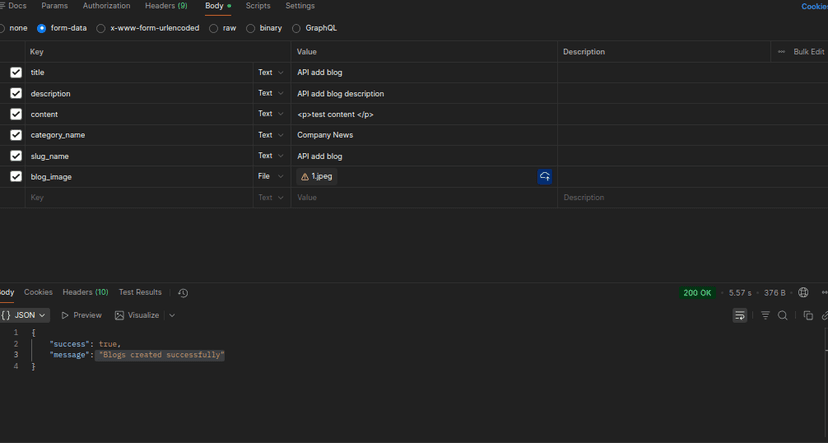
API add blog description
Discover more

API add blog description
Discover more

API add blog description
Discover more

API add blog description
Discover more

API add blog description
Discover more

Discover how to become a Digital Nomad in the USA. Learn about visa types, stay duration, requirements, documents, costs, and step-by-step application process for working remotely in the U.S. in 2025.
Discover more